
Compare · Frameliq vs Google Flow
A Google Flow Alternative With a Full Film Pipeline
Frameliq is a Google Flow alternative for filmmakers who want to take a script to a finished film with more than Google’s own models: it imports a screenplay word for word, storyboards each beat, renders each shot with one of 14 video models, and adds voices and music before export. Google Flow is cheaper per second for Google’s Omni Flash and Veo models, and every account gets 50 free credits a day. Pick Flow for quick clips from Google’s models; pick Frameliq for a planned film with a cast and an edit.
Prices checked on 13 November 2026, in US dollars, from Google’s subscription page and the Flow help center.
Frameliq vs Google Flow at a glance
| Google Flow | Frameliq | |
|---|---|---|
| What it is | Google’s AI video tool for its own image and video models, with an agent, characters and a scene builder | A film studio: script or idea, story, storyboard, shots, voices and an edited film in one project |
| Paid plans | Inside Google AI plans: Plus $4.99, Pro $19.99, Ultra $99.99 or $199.99 a month | Creator (your fal key) $19, Creator Plus $29, Studio $49, Studio Pro $99 a month |
| Free use | 50 credits a day for everyone; video may be unavailable to non-subscribers at peak hours | Free plan with 1 project and 10 Story credits; no Media credits |
| Monthly credits | 200, 1,000, 10,000 or 25,000 Flow credits | 800, 2,500, 5,000 Media credits (Creator uses your own fal key instead) |
| A 5-second 720p Gemini Omni take | 15 credits (Omni Flash 1.2) | 41 Media credits |
| Video models | Omni Flash 1.2 and Veo 3.1 Lite (Veo 3.1 Fast, Quality and Omni Flash 1.1 retire on 5 December 2026) | H3 Max, Kling 4, Kling 4 Flash, H3, Seedance 2.5, Seedance 2.0, Grok Imagine 1.5, Grok Imagine 1.5 Lite, FLUX 3 Max, Veo 3.1, Gemini Omni, LTX 2.5 Pro, LTX 2.5 Fast, Wan 3 |
| Longest single take | 15 seconds on Omni Flash 1.2 for subscribers, 10 seconds without a plan | 30 seconds on Kling 4 and Seedance 2.5 |
| Where a project starts | A prompt, with frames and ingredients | A one-line idea, or a screenplay imported word for word |
| Keeping characters the same | Characters you call into a prompt with @, with a voice reference | Reference portraits for every character and place, sent to each storyboard frame and shot; one voice per character |
| Finishing the film | Scenebuilder: arrange, trim and download clips in a sequence | A timeline with dialogue voices, music, sound effects and lip sync; MP4 up to 1080p and EDL export |
Flow credit costs are Google’s published rates, which Google says can change. Frameliq credit costs are what its Composer estimates before a render; one Media credit is $0.01 of provider cost. This page is on Frameliq’s site, so weigh it with that in mind.
What Google Flow does well
Flow is the cheapest way to use Google’s video models. Omni Flash 1.2 costs 3 credits a second at 720p and 1 credit a second at 360p, so a 5-second 720p take is 15 credits, and the 1,000 credits in Google AI Pro cover about 66 of them. Veo 3.1 Lite makes a 4, 6 or 8-second 720p clip for 10 credits. On top of the plan, everyone gets 50 credits a day, and a Google AI plan also includes storage and Gemini.
Flow also edits video in conversation: the Flow agent changes a clip from a described edit, you can save frames and reuse them as start frames or ingredients, and characters you build can be called into a prompt with @. Scenebuilder puts clips in order, trims them and downloads the scene.
Where Frameliq is different
Frameliq starts from the story, not the shot. Paste a screenplay or drop a .fountain or .txt file and every line of dialogue and action is kept as written; or give it a one-line idea and the Writer drafts the script. It plans shot-sized beats per scene, the cast and the places, with reference portraits for each, and you approve a storyboard frame per beat before rendering any video.
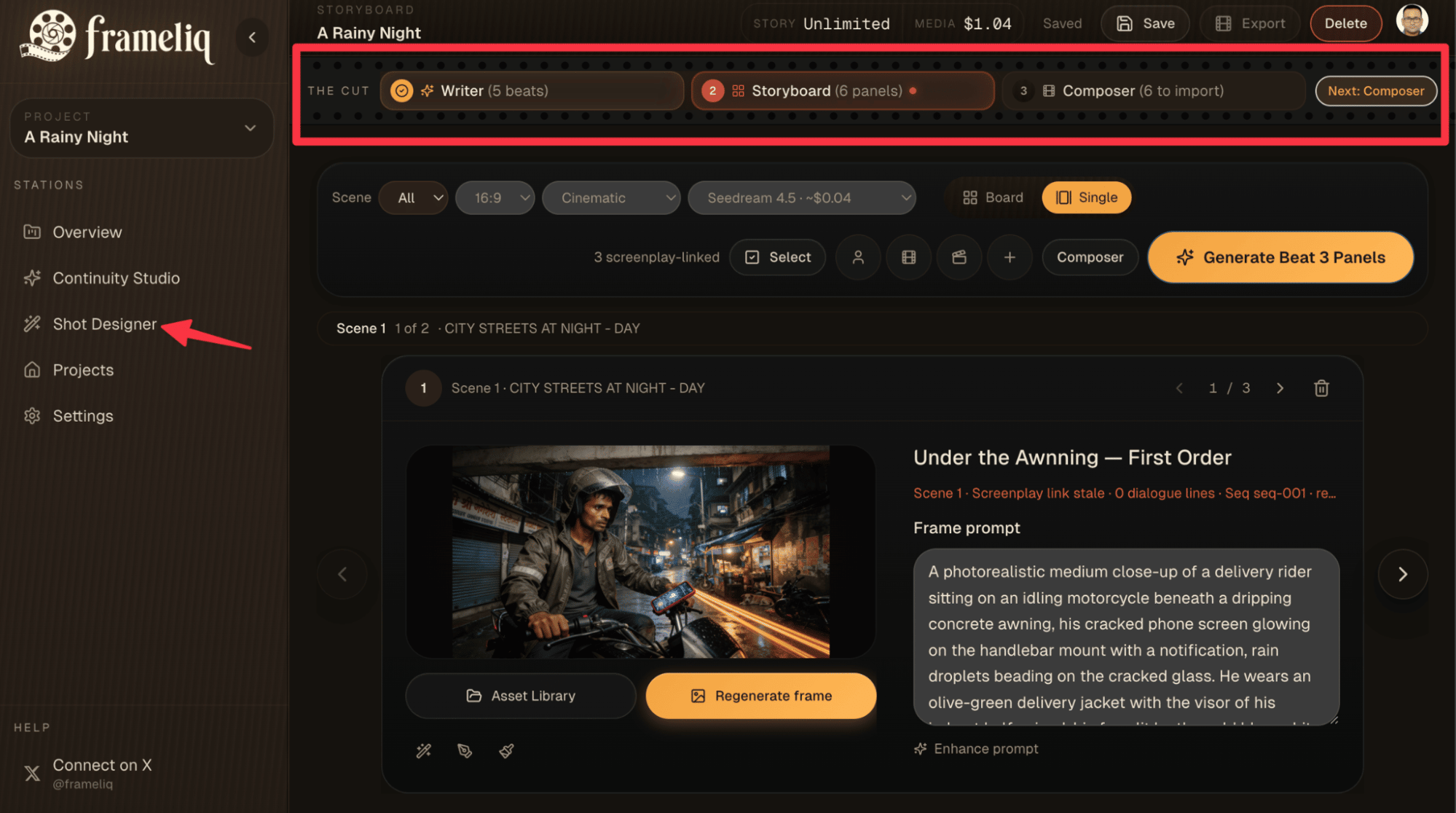
For each shot you choose the model: H3 Max, Kling 4, Kling 4 Flash, H3, Seedance 2.5, Seedance 2.0, Grok Imagine 1.5, Grok Imagine 1.5 Lite, FLUX 3 Max, Veo 3.1, Gemini Omni, LTX 2.5 Pro, LTX 2.5 Fast, Wan 3. That includes Veo 3.1 and Gemini Omni, so you can keep Google’s look on some shots and use Kling 4 or Seedance 2.5 for 30-second takes on others. Dialogue voices, music, sound effects and lip sync are added on the same timeline, and the film exports to MP4 up to 1080p or to an EDL for Premiere, Resolve or Avid.
The cost is higher per second for Google’s models: a 5-second 720p Gemini Omni take is 41 Media credits in Frameliq against 15 Flow credits. Creator Plus, Studio and Studio Pro include Media credits, and on Creator you connect your own fal key and pay fal’s price directly. See Frameliq pricing for what each plan buys, and Google Flow pricing explained for Flow’s plans and credits in detail.
Who should pick which
- Pick Google Flow if you want Google’s video models at the lowest cost, already pay for a Google AI plan, or make short clips and edit them by describing changes.
- Pick Frameliq if you have a screenplay to shoot, need the same cast across many shots, want takes longer than 15 seconds or models other than Google’s, and want voices, music and the edit in the same project.
Comparing other tools too? See Frameliq vs Higgsfield, what replaced Sora and Frameliq vs LTX Studio, or all of them on the comparisons page.
Frequently asked questions
Is Frameliq a good Google Flow alternative?
Yes, if you want to plan and finish a whole film: import a screenplay word for word, storyboard each beat, render each shot with the model that suits it, then add voices and music and export. If you want quick clips from Google's own models at the lowest cost, Google Flow is cheaper per second and every account gets 50 free credits a day.
Which models does Google Flow use?
On 13 November 2026 Flow's help center listed Omni Flash 1.2 and Veo 3.1 Lite for video, and Nano Banana Pro, Nano Banana 2.1 and Nano Banana 2 Lite for images. Veo 3.1 Fast, Veo 3.1 Quality and Omni Flash 1.1 retire on 5 December 2026.
Can I use Veo or Gemini Omni in Frameliq?
Yes. Frameliq offers Veo 3.1 and Gemini Omni alongside 12 other video models, chosen per shot. A 5-second 720p Gemini Omni take is about 41 Media credits and an 8-second Veo 3.1 take about 120.
How much does Google Flow cost?
Flow is included in Google AI plans: Plus $4.99 a month with 200 Flow credits, Pro $19.99 with 1,000, and Ultra from $99.99 with 10,000 or 25,000. Everyone also gets 50 credits a day. Our Google Flow pricing guide works through what a short film costs.
How much does Frameliq cost?
Frameliq's paid plans are Creator (your fal key) $19, Creator Plus $29, Studio $49, Studio Pro $99 a month, and there is a free plan. Creator Plus, Studio and Studio Pro include Media credits for images, video and audio; Creator bills generation to your own fal key.
Try it on your own script
Import your screenplay. Pick a model per shot.
Start free with one project. Render with included Media credits on Creator Plus and up, or with your own fal key on Creator.