
Can Claude Make Videos? Three Ways That Work, Including a Full Film From One Chat
Claude does not generate video footage, but it can code animations, write video prompts, and use a connector to write a whole film into a video studio. Here is how each route works.
Short answer: Claude does not generate video footage. It has no video model, and Anthropic’s own help page says Claude does not generate photos or illustrations the way image tools do. What Claude can do is write, plan and code. That is enough to make a video in three different ways, and one of them gets you a full film with consistent characters, dialogue and sound.
Three ways to make a video with Claude
1. Code-rendered video
Claude writes HTML, CSS, SVG and JavaScript well, so it can build an animation as code. Frameworks such as Remotion render that code to an MP4. This route suits motion graphics: explainers, charts, title cards and product demos. It does not produce photographic or cinematic footage, because nothing in the chain is a video model.
2. Prompts for a video model
Ask Claude for a shot list with a prompt per shot, then paste each prompt into a video generator. Claude is good at this. It holds a long script in mind and writes specific camera and lighting direction. The weakness is the manual part: you copy every prompt across yourself, and each clip starts with no memory of the last, so characters drift.
3. A connector that writes the whole film into a studio
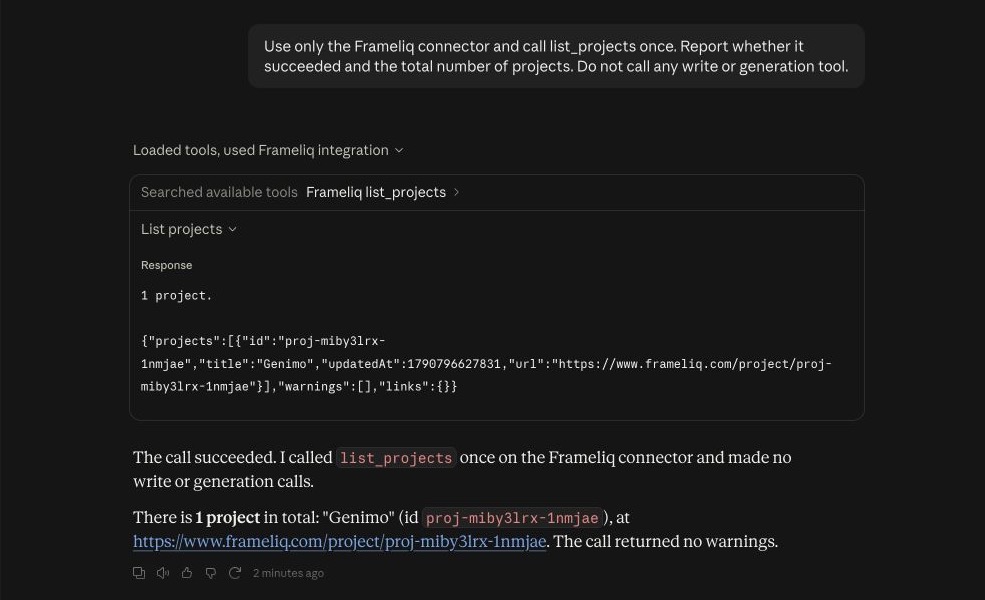
Claude connectors let it read and write in other apps. With the Frameliq connector, Claude creates a film project and writes each stage into it: the story, the characters and places, the screenplay, a storyboard plan and a motion prompt for every shot. The project keeps reference portraits for the cast, which is what keeps a character recognisable across shots. You generate the stills, video and voices in Frameliq.
How to make a film with Claude and Frameliq
Set up the connector
Custom connectors work on every Claude plan, and the Free plan allows one. You also need a paid Frameliq plan.
- On claude.ai, open Customize → Connectors → Add → Add custom connector.
- Name it Frameliq and paste the server address from the integrations page.
- Choose to sign in with your own OAuth client and enter the Frameliq client ID.
- Sign in to Frameliq and approve the connection.
- In a new chat, turn on the Frameliq connector and ask for a film.
The server address and client ID are on the integrations page. The connector works in the Claude chat apps. Claude Code is not supported yet.
Ask for a film in stages
Give Claude the idea and ask it to stop after the logline. Approve it, then let Claude continue through the characters, the beats and the script. Two prompts to start with:
Make a two-minute sci-fi short about a lighthouse keeper who picks up a signal. Stop after the logline so I can check it.
Here is my screenplay. Import it as written, then plan a storyboard for scene 1.
The second prompt uses Frameliq’s screenplay import, which keeps your dialogue and action word for word.
Generate in Frameliq
When the writing is done, Claude sends a link to the project. Generate the portraits and storyboard stills, import the storyboard into Composer, and generate each shot. Composer offers Seedance 2.5, Veo 3.1, Kling 3.0, Wan 3, MiniMax H3 and other models, and you can choose a different one for each shot. The short film tutorial covers this part step by step.
Use Claude as a script supervisor
The connector also reads projects you already have. Claude can review a whole film and tell you what is weak before it changes anything, fix a character whose name or look drifts between scenes, or rewrite every shot prompt for a different video model in one pass.
Two guard rails make this safe to try:
- Every change Claude makes gets a change id. Ask Claude to undo it within 30 days and it restores exactly what it changed.
- Text you edited in the app after Claude last read the project is never overwritten.
What it costs
Claude does the writing on your Claude plan, so it uses none of your Frameliq Story credits. Images, video and voices are generated in Frameliq with your Media credits, or with your own fal key on the Creator plan. Claude cannot start a generation, so nothing is spent without you pressing the button.
FAQ
Can Claude generate videos like Veo or Kling?
No. Claude is a language model without a video model attached. It reaches video through code that renders animation, or through a connector to a tool that runs video models.
Is there a Claude AI video generator?
Anthropic does not offer one. Products described that way combine Claude’s writing with a separate video model. Frameliq’s connector is one example: Claude writes the film and Frameliq’s video models render it.
Which Claude plan do I need for the Frameliq connector?
Any plan. Custom connectors are available on Free, Pro, Max, Team and Enterprise, and Free is limited to one custom connector. On Team and Enterprise an owner adds the connector for the organisation first.
What is a Claude connector?
A connector links Claude to another app through MCP (Model Context Protocol), an open standard for giving AI assistants tools. The Frameliq connector gives Claude tools to read and edit your film projects.
Does this work with ChatGPT?
Yes, through a ChatGPT plugin that connects to the same server. See can ChatGPT make videos.